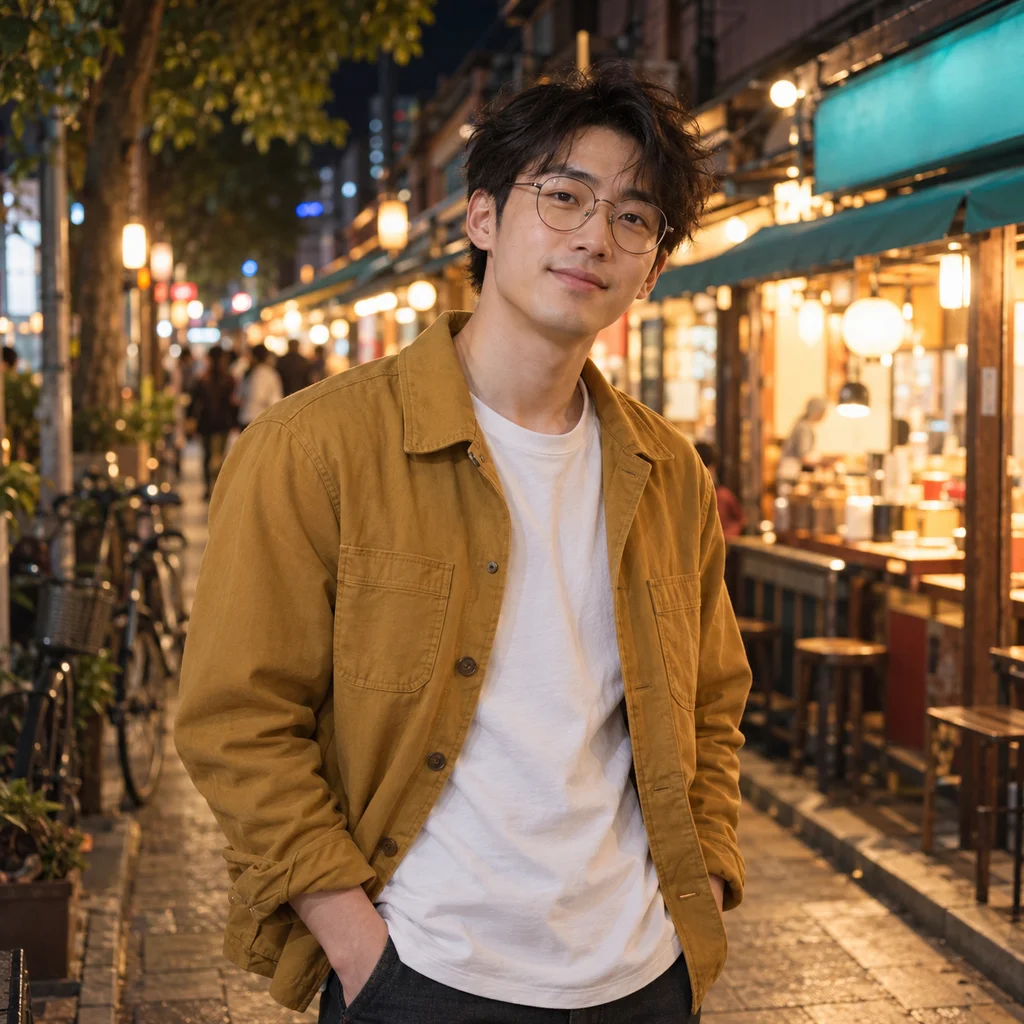
Street photography
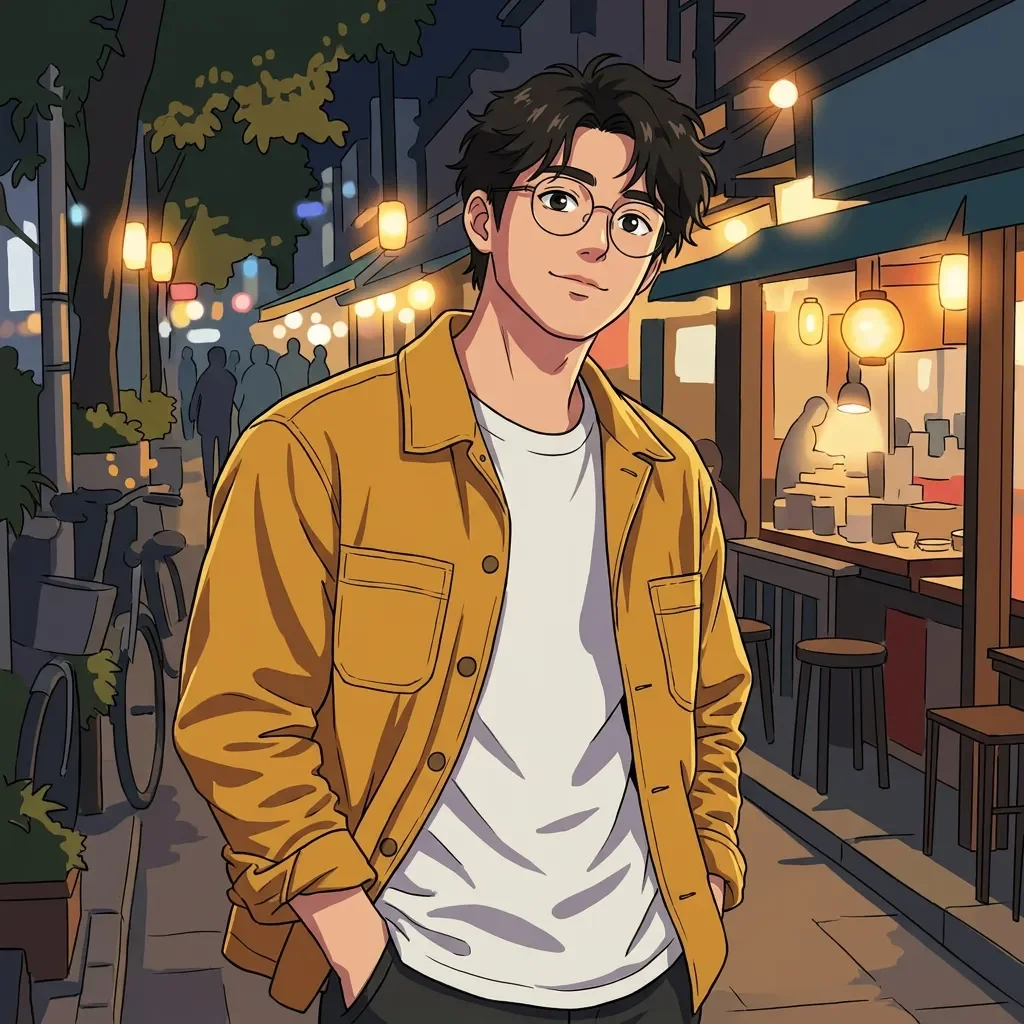
Cel animeCrisp lines, clear color blocks. Keep the glasses, hair silhouette and jacket color readable. Neon rendering can change lighting and apparent skin color.
Nano Banana Pro · 1K · one reference · actual model output
Your photo. A whole new drawing.
Upload your photo, choose from 16 visual styles, and create an anime version. A selfie, a family moment, your pet — start with something that is yours.
Gallery examples use Nano Banana Pro. “Try these settings” loads its 8-credit setup; each model interprets styles differently.
Real conversions. Different starting points.
Street portraits, family picnics, childhood memories and the cat who owns your sofa. Move each divider to see what changes. These are actual model edits of fictional, AI-generated references created for Reimorph, not customer photos. Style thumbnails above use one shared portrait so you can compare the drawing styles fairly.
Recommended for these looks: Nano Banana Pro, the model used below. GPT Image 2 is another option for stronger style changes. Grok is cheaper and may keep more of the photo’s original look. Check the model and credits before creating.
Crisp lines, clear color blocks. Keep the glasses, hair silhouette and jacket color readable. Neon rendering can change lighting and apparent skin color.
Nano Banana Pro · 1K · one reference · actual model output
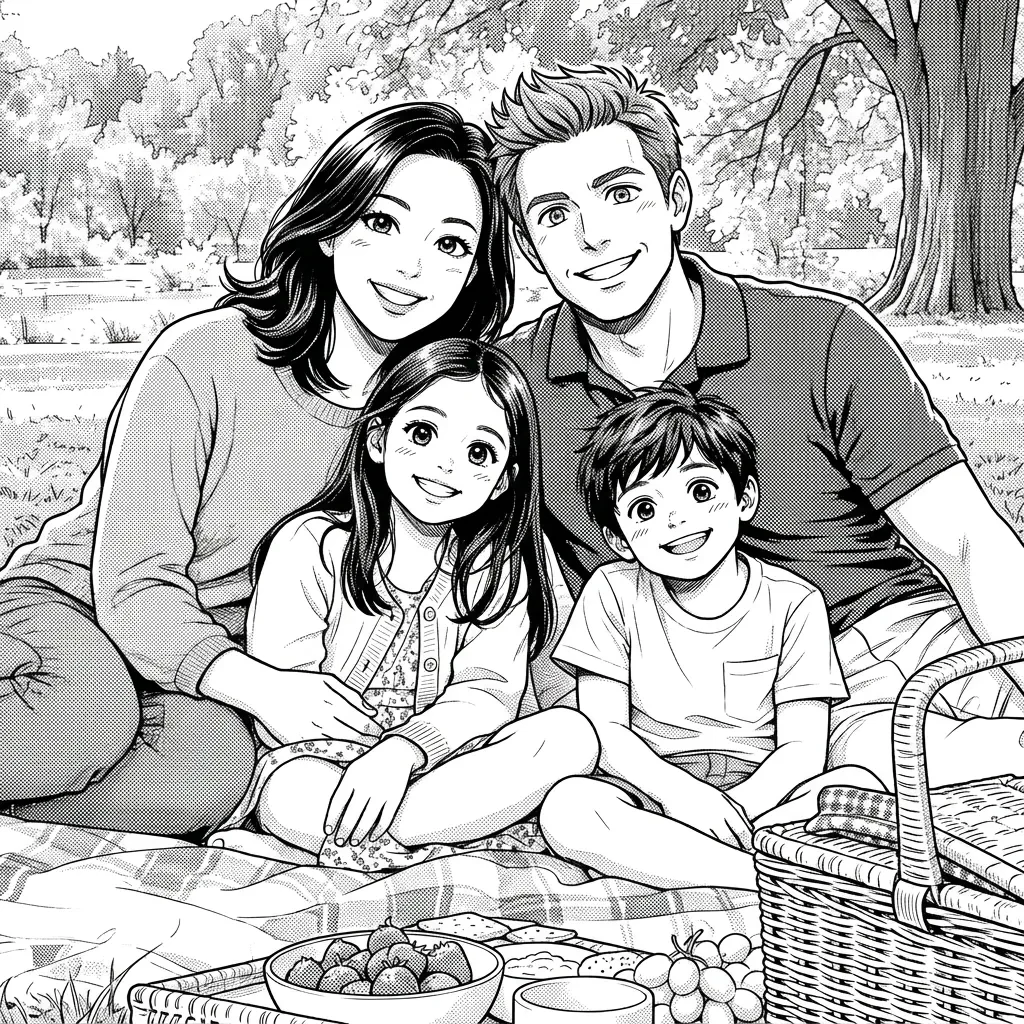
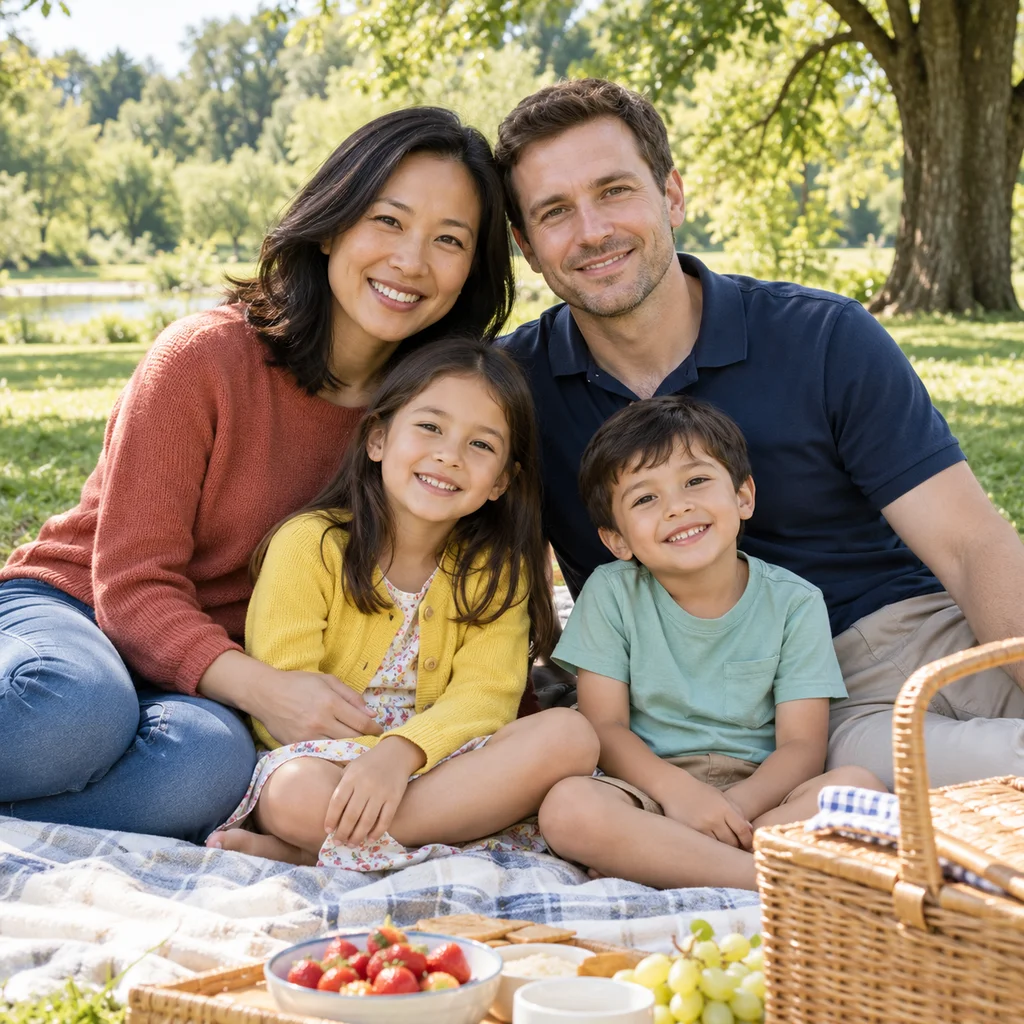
Black ink, monochrome tones. Count all four people, then check each face. Group conversions can omit, duplicate or exchange details; a clear, close group photo helps.
Nano Banana Pro · 1K · one reference · actual model output
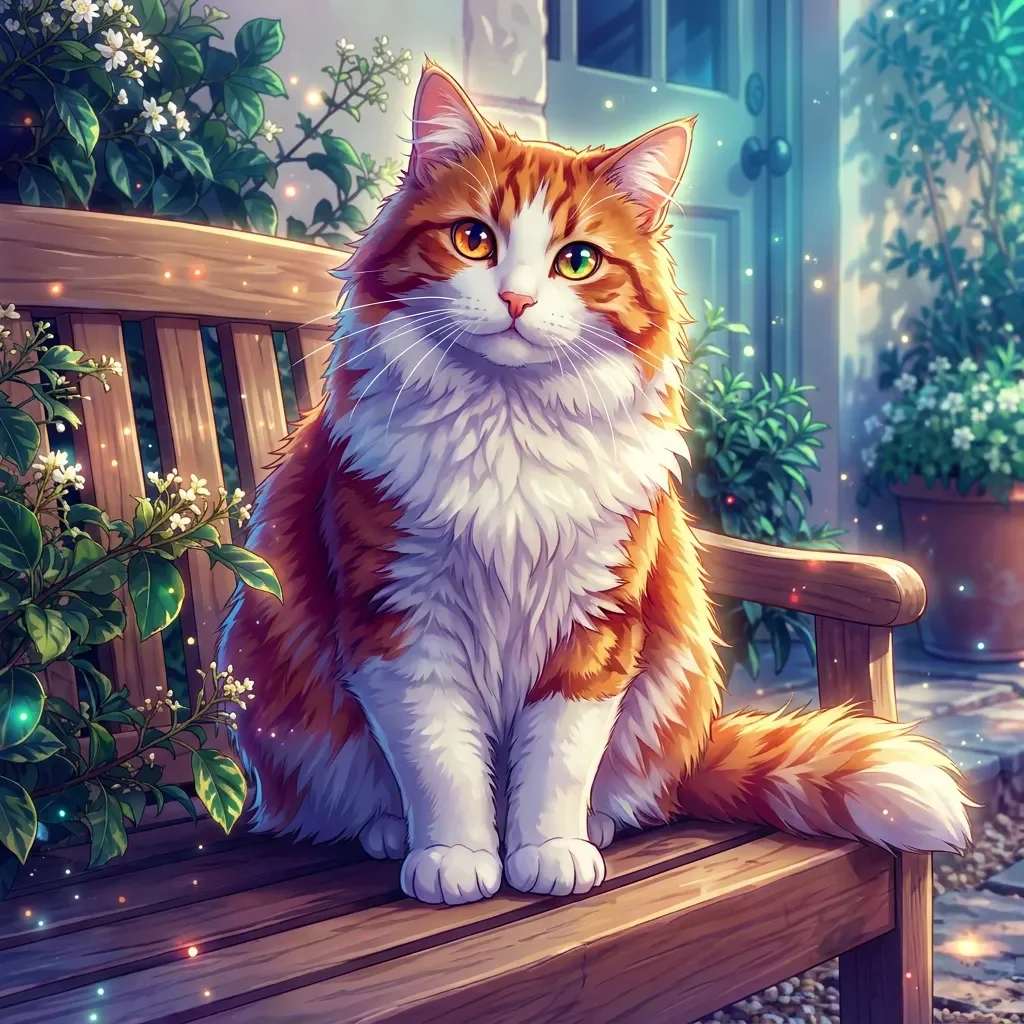
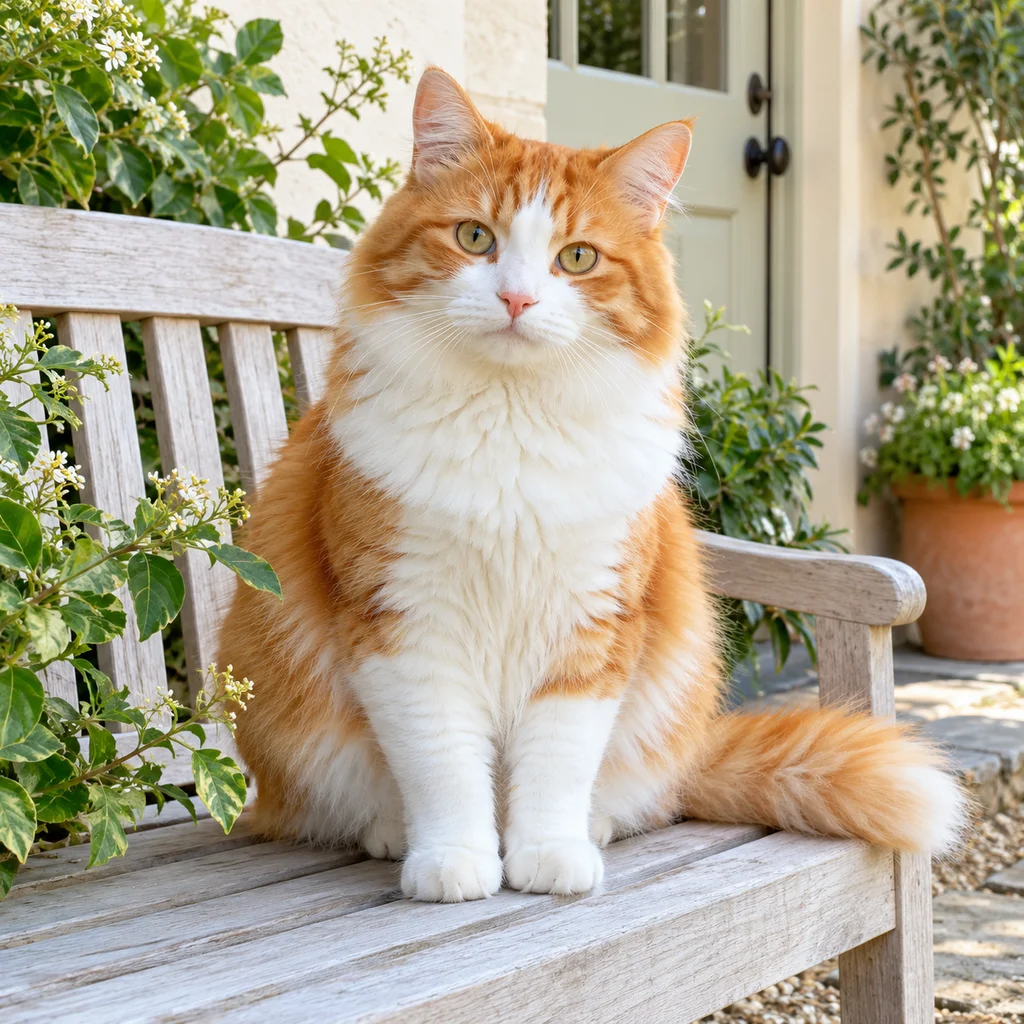
Jewel colors, magical light. Check the muzzle, white chest, paws and tail. Anime groups fur into color shapes, so small markings may change.
Nano Banana Pro · 1K · one reference · actual model output
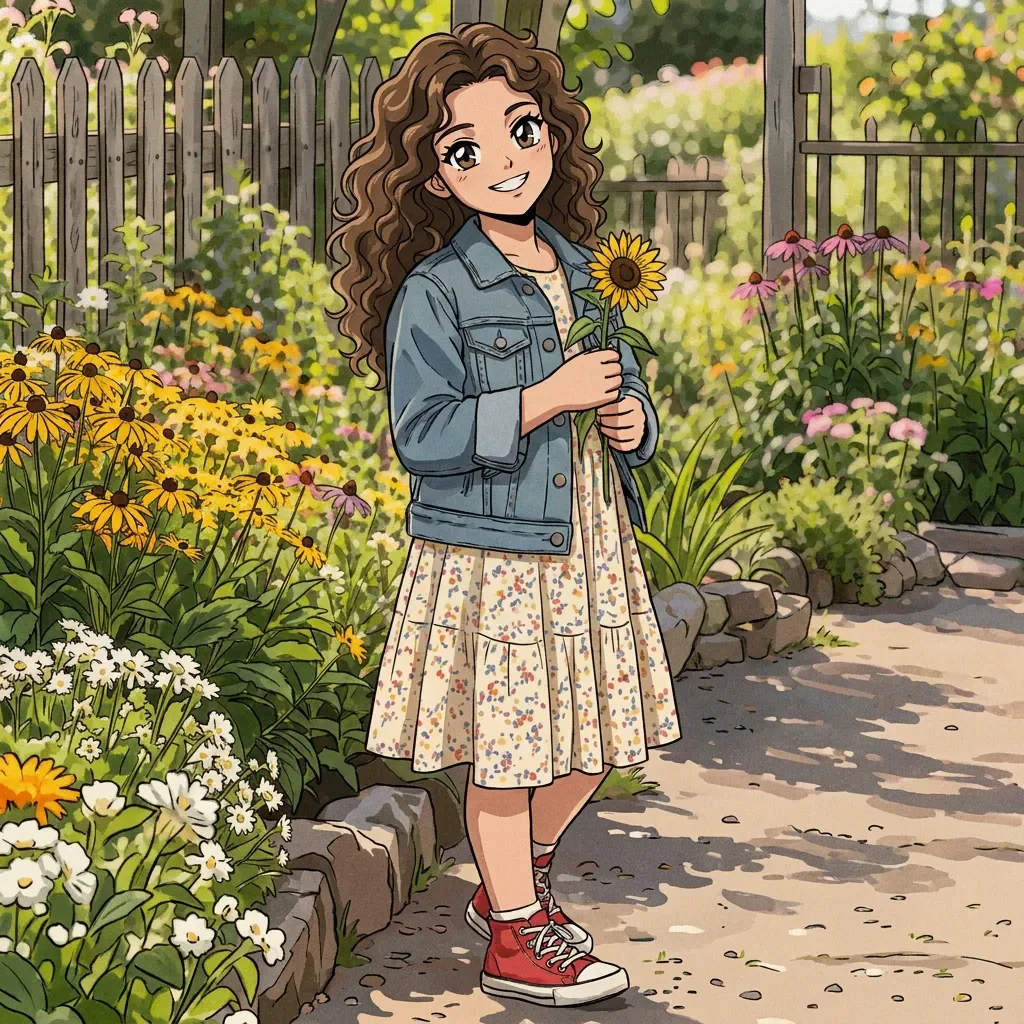
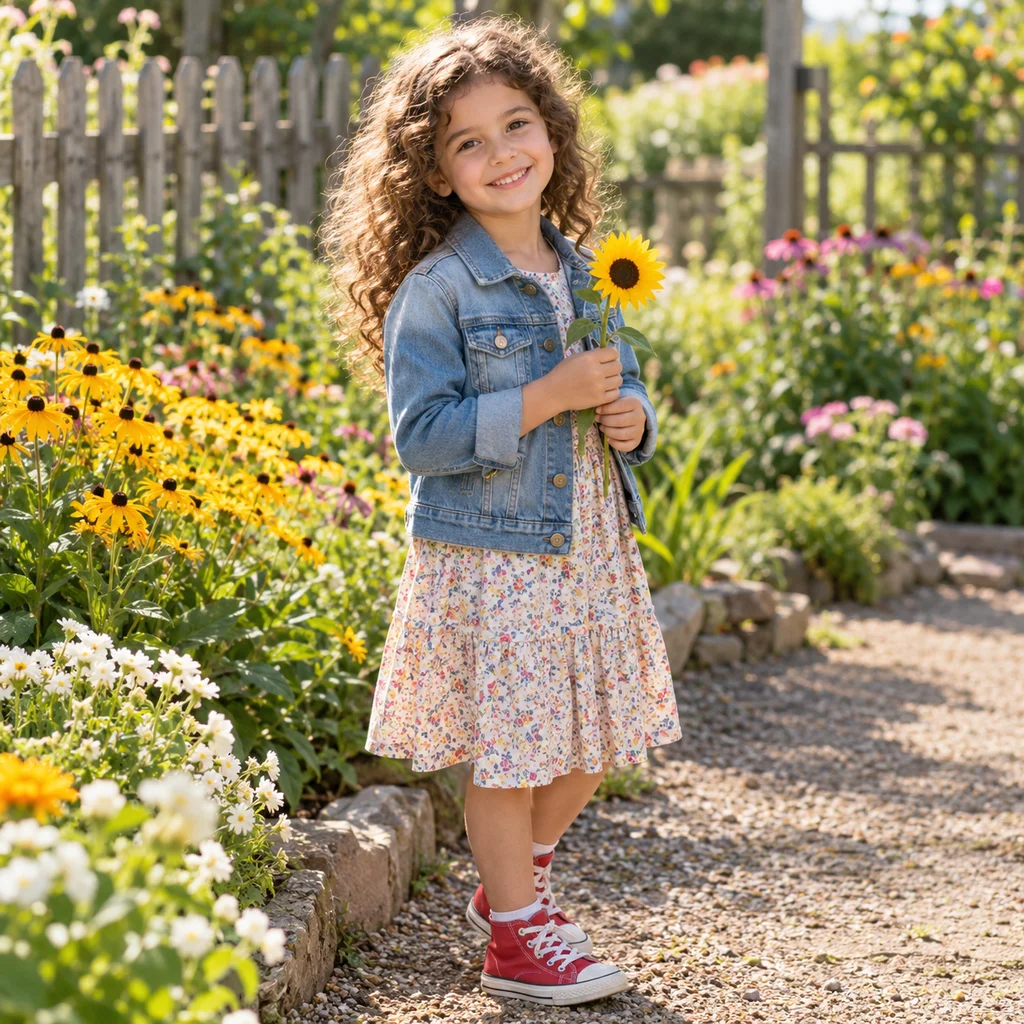
Vintage cels, warm film grain. Check the child’s age, curls, jacket and hands. Keep childhood proportions and use a clear face rather than a tiny figure in a busy scene.
Nano Banana Pro · 1K · one reference · actual model output
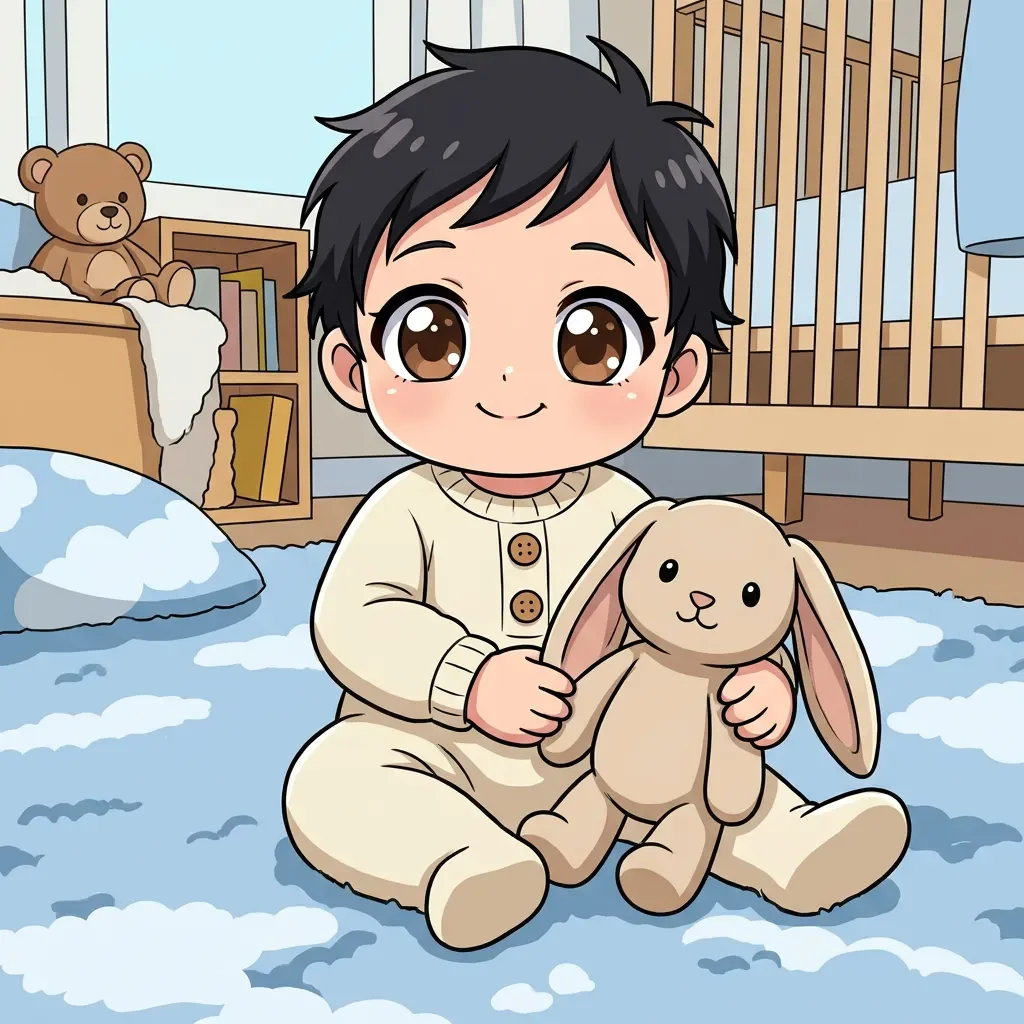
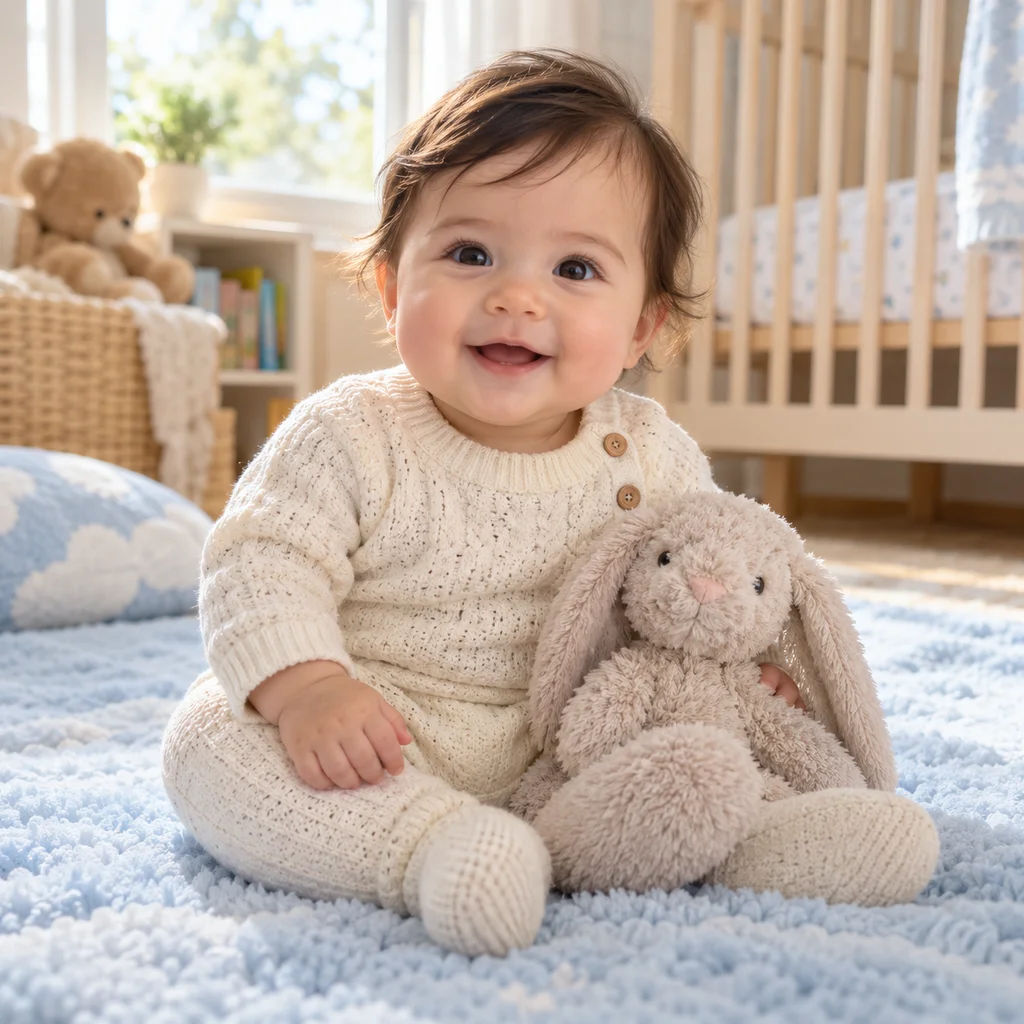
Big head, tiny cute proportions. Keep infant-like proportions and expression. Chibi deliberately exaggerates the head; it cannot promise an exact likeness.
Nano Banana Pro · 1K · one reference · actual model output
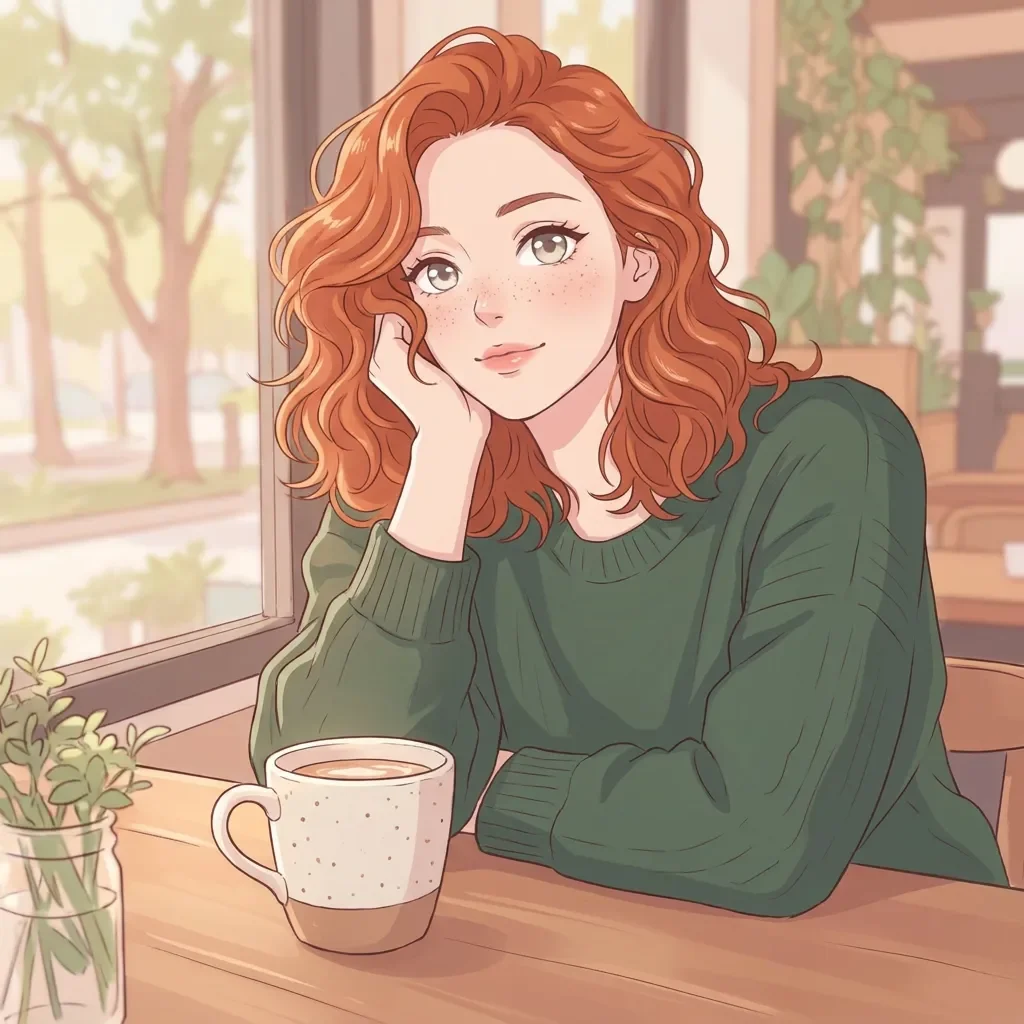
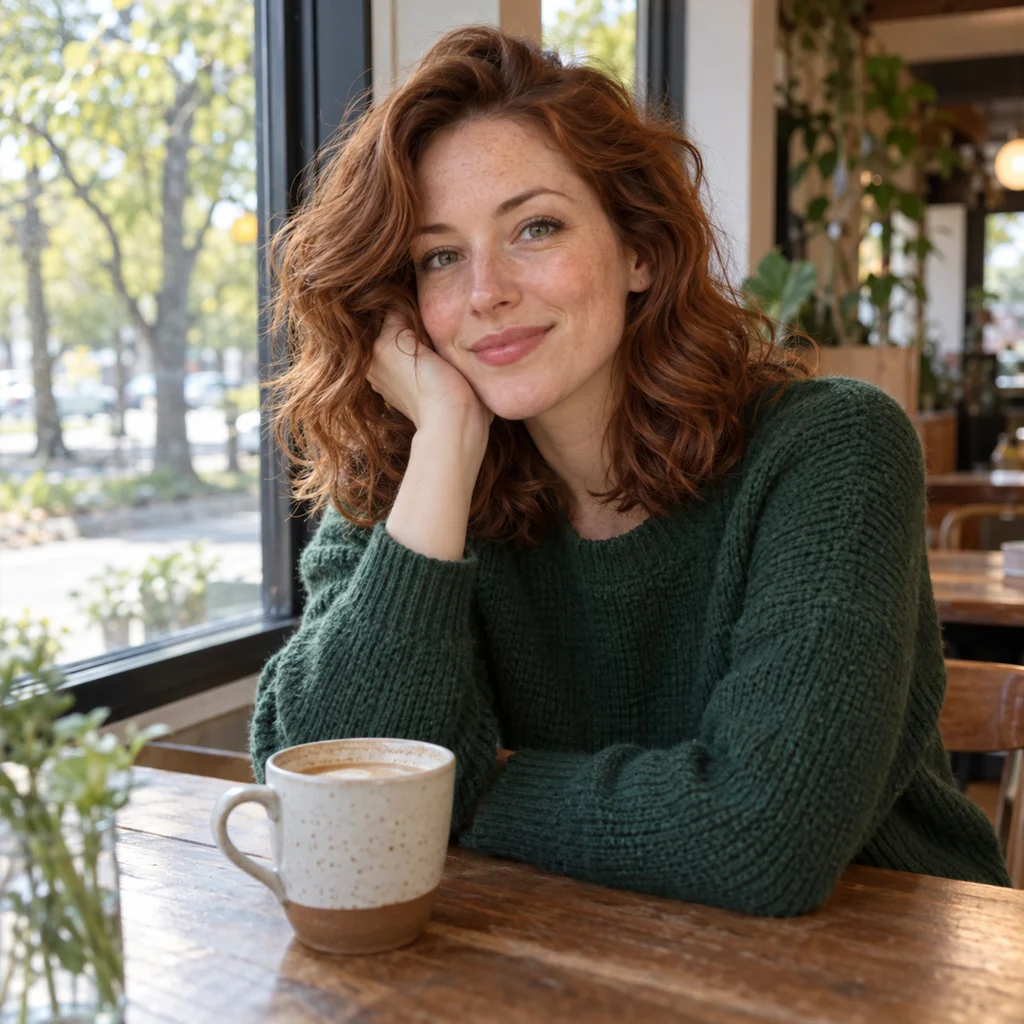
Gentle light, softer shading. Inspect the hair, expression and mug. An anime redraw changes facial geometry even when the person feels recognizable.
Nano Banana Pro · 1K · one reference · actual model output
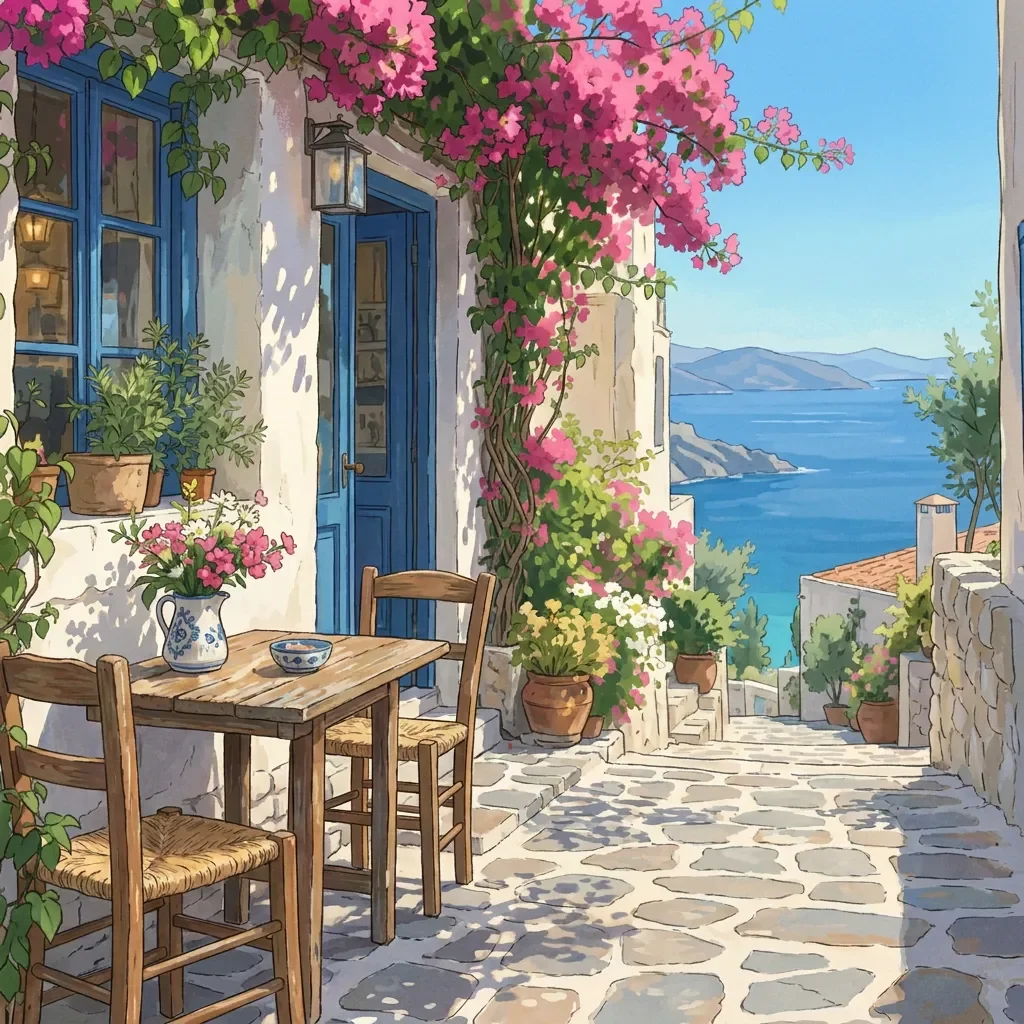
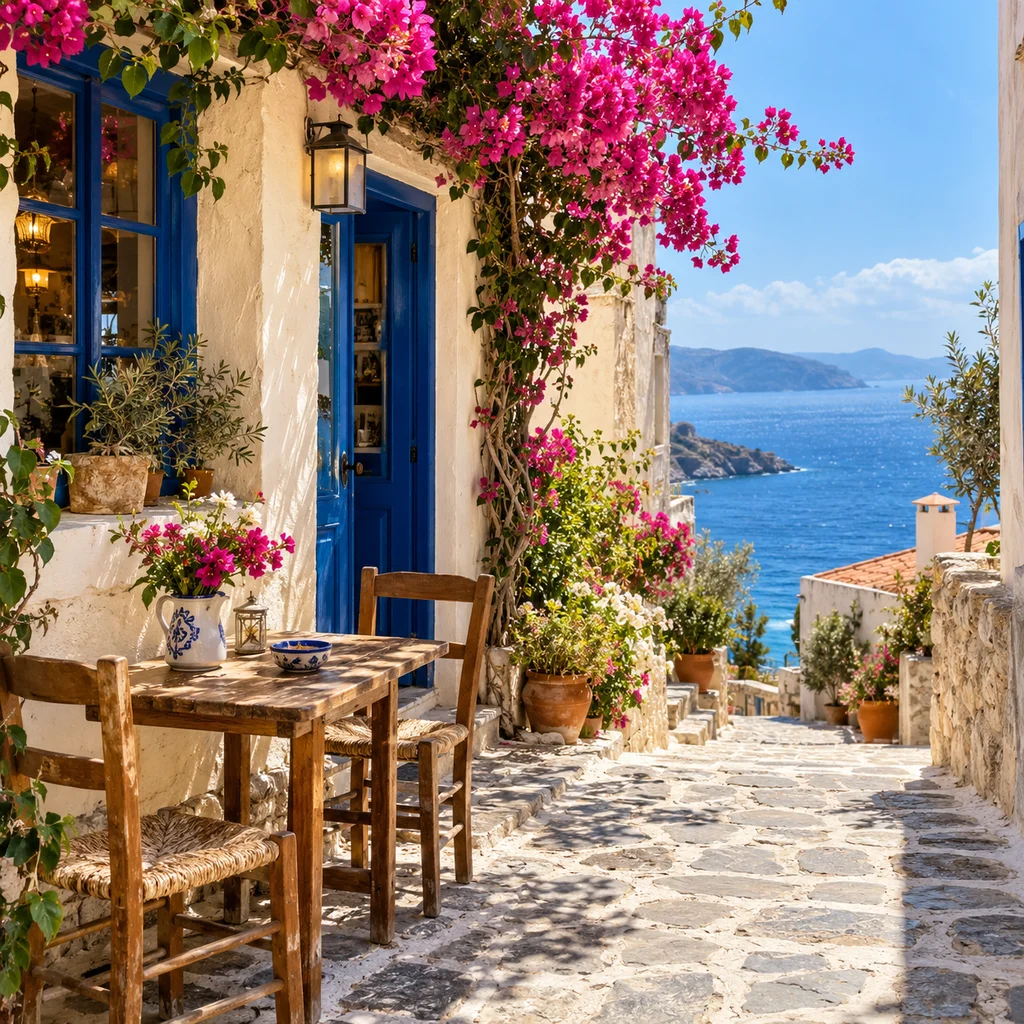
Hand-painted nature, warm light. Check the door, tables, perspective and ocean view. Busy signage and fine architectural details can shift during redrawing.
Nano Banana Pro · 1K · one reference · actual model output
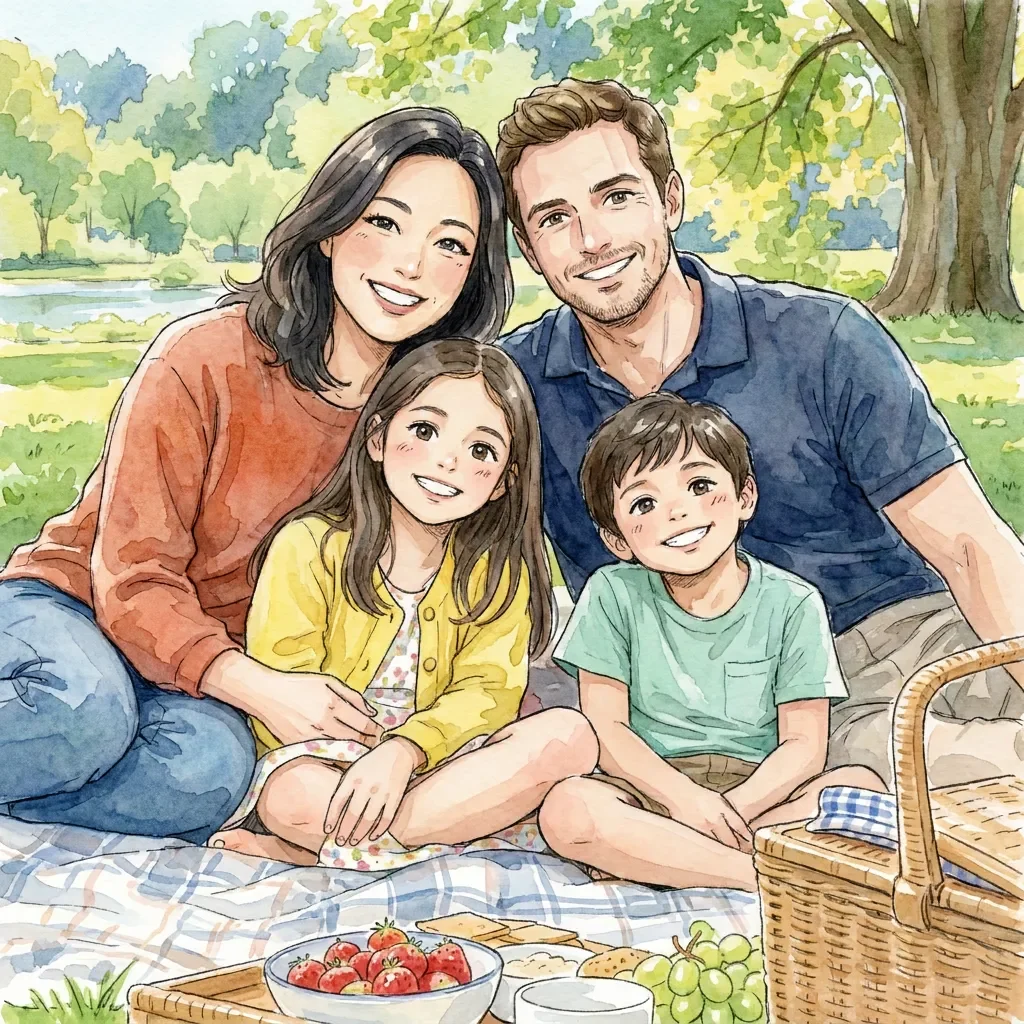
Paper texture, loose washes. Count all four people, then check each face. Group conversions can omit, duplicate or exchange details; a clear, close group photo helps.
Nano Banana Pro · 1K · one reference · actual model output
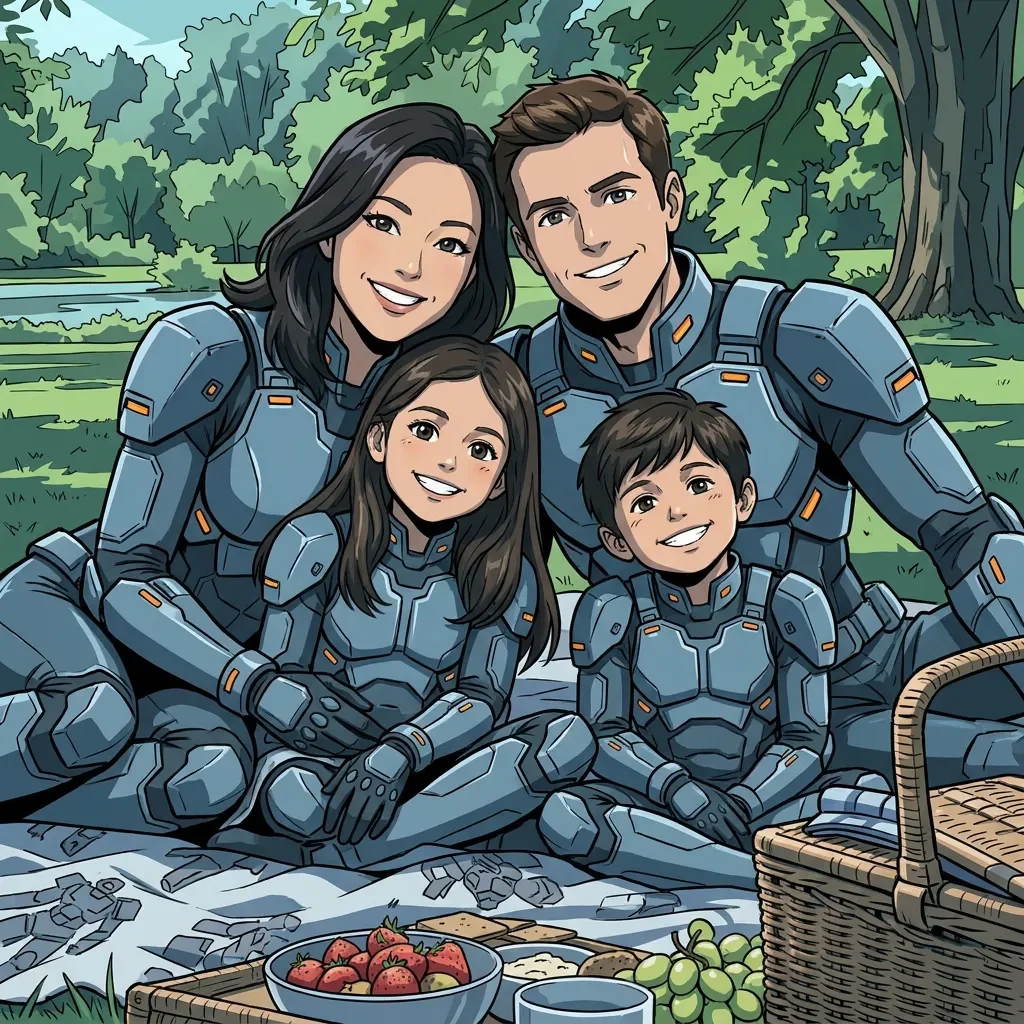
Tech details, graphic cel finish. Count all four people, then check each face. Group conversions can omit, duplicate or exchange details; a clear, close group photo helps.
Nano Banana Pro · 1K · one reference · actual model output
Upload, paste or drop one JPG, PNG or WebP image up to 10MB. Keep faces visible and use a clear reference. For a family, leave space between faces; for a pet, show its markings. You can try a synthetic sample first to explore the interface.
Open Style inside the input box. All 16 previews use the same person, so changes in linework, color and proportions are easier to judge. Choose a preset and add a short note only if needed. Grok is the least expensive at these settings; GPT Image 2 uses medium quality, and Nano Banana Pro created the examples. Inspect the total credits before creating.
Slide between your reference and result. Check faces, skin tone, hands and background objects, then enlarge or download the image. If you create another version, that uses credits; moving the divider or reloading a saved preview does not. A different download format does not add resolution.
Real photo situations
A useful conversion starts with the kind of memory you want to keep, not a generic effect. These four situations need different checks even when they share the same style preset.
Use a clear head-and-shoulders photo for an avatar or character portrait. Hair shape, glasses and expression usually carry likeness better than exact facial geometry.
Turn a family photo into a shared illustration. Start with separated, visible faces and verify every person after generation, especially children and babies.
Convert a cat or dog while watching coat markings, ear shape and eye color. Fantasy styles can change lighting and accessories more strongly than cel styles.
Keep the pose and sense of place while translating the street into drawn scenery. Signs, windows and small background objects may be simplified.
Features with a purpose
The controls stay inside one input flow: upload a reference, open the visual style picker, add an optional instruction and create. There is no separate “preserve background” switch because preservation depends on the photo, selected style and model response together.
Classic cel and 90s anime favor clear shapes and drawn shadows; manga, ink and pencil interpret marks differently; chibi and pixel anime make larger changes to proportion or texture. The shared portrait in all 16 thumbnails makes those differences easier to compare before spending credits.
Choose by linework, color and proportions instead of guessing from preset names.
The preset supplies style instructions while your short note handles one specific request.
The least expensive eligible model is selected by default; Grok, GPT Image 2 and Nano Banana Pro remain available.
Drag across the same viewport, inspect at up to 300%, then export PNG, JPG or WebP without another generation.
Tested experience & limits
We generated the style thumbnails and scene comparisons on this page from synthetic reference photos, then inspected identity cues, subject count, background structure and output files. The examples show the real edits, including changes that are not perfect, rather than presenting the preset name alone.
Portrait finding: glasses, hairstyle and clothing often remain recognizable, while anime eye size and face geometry can move noticeably.
Group finding: clear separation helps, but small or overlapping faces are still the first place to inspect in a family result.
Mecha comparison: with the same four-person picnic reference, Nano Banana Pro and GPT Image 2 dressed all four people in pilot armor. Grok kept one child in casual clothing even after stronger style instructions. Match the example’s model for a closer starting point; a repeated generation is still a new interpretation.
Scene finding: composition tends to survive better than tiny lettering, repetitive windows, jewelry or individual background objects.
Likeness: compare hairstyle, expression, glasses and skin tone together. The converter cannot lock a face or reproduce unchanged pixels.
Families and little ones: count people and check every face. Confirm a child still looks like a child and a baby keeps infant-like proportions.
Pets and places: inspect markings, ears, paws and tail; for streets, compare the viewpoint, building shapes and any signs that matter.
Output limit: the 1K tier is suited to style exploration. Zoom helps inspection but does not create resolution, and automatic framing can still change the crop.
Continue with your photo
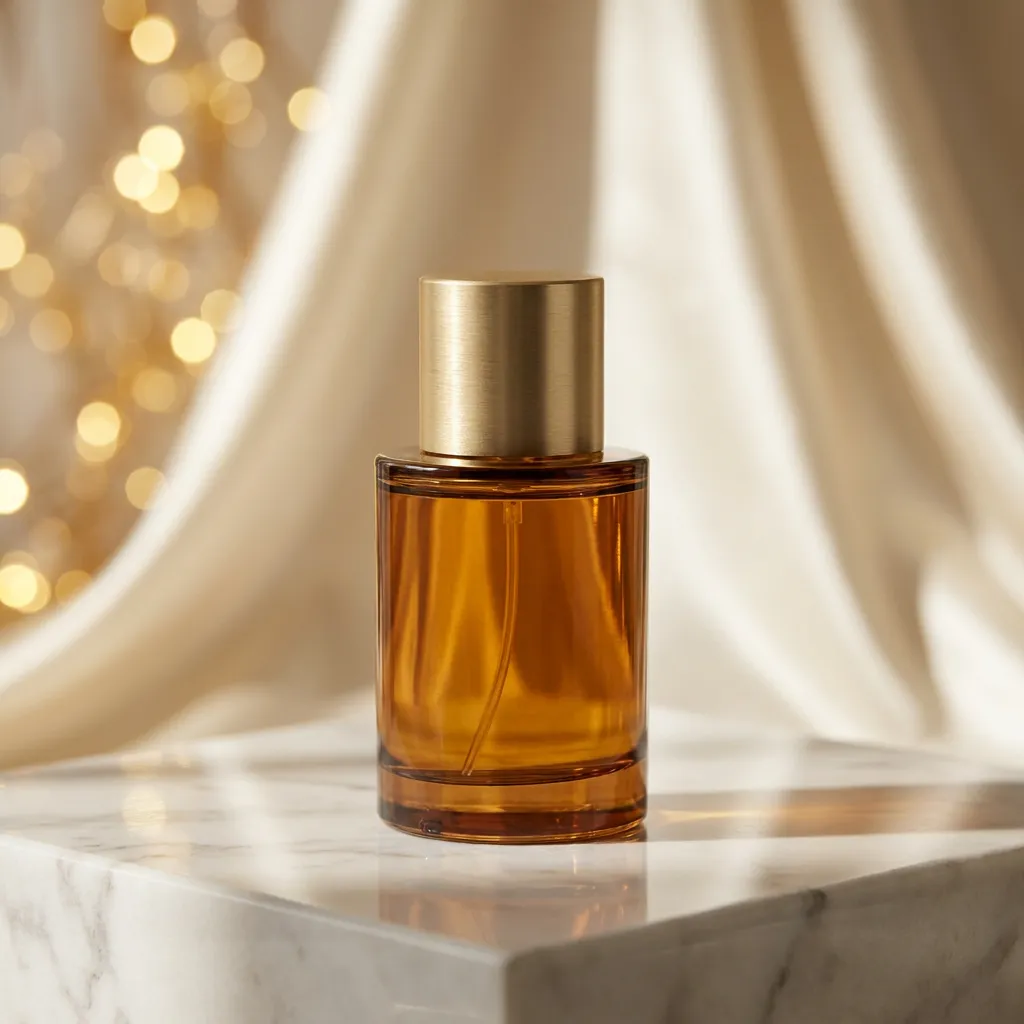
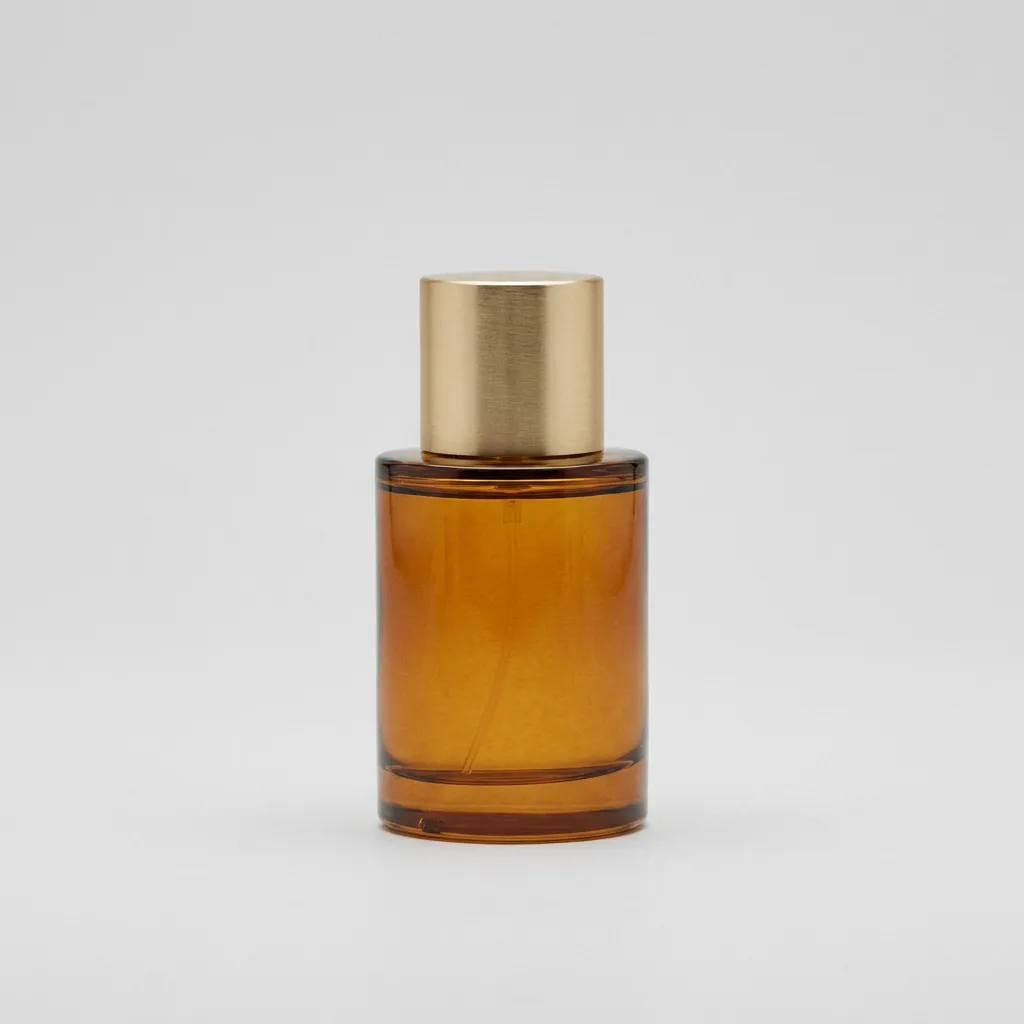
Keep editing beyond an anime style. Change a product scene, an outfit or the atmosphere in a photo with a focused instruction, while using the reference as your starting point.
Drag to inspect the actual Nano Banana Pro edit. These are synthetic demonstration references.
Go to Image to Image AIStyles, family photos, privacy and what to expect from a redraw.
Upload one JPG, PNG or WebP image, open the style button inside the input box and choose a thumbnail. Add an optional note for a specific change. The least expensive model at the displayed settings is selected initially. Check the credits and create one image on this page. Its progress and result appear in the preview area beside the input. Compare, zoom and choose PNG, JPG or WebP before downloading. You do not need to write a complete anime prompt.
Cel anime uses clear outlines and flat shadows. Soft shojo uses delicate lines and luminous eyes; Manga ink is monochrome. Chibi changes proportions into a big-headed, compact character. Retro adds a vintage cel finish, while Cyberpunk uses neon colors. The library also includes watercolor, fantasy, shonen, ink, mecha, gothic, cozy film, webtoon, pixel anime and pencil sketch. The examples were made with Nano Banana Pro; its 8-credit setup is loaded by Try these settings. GPT Image 2 is also worth trying for complex restyling. Grok costs less but can apply a lighter style. Thumbnails are actual examples, not a guaranteed preview of your photo.
No exact likeness is promised. The converter redraws photographic features into anime shapes, while the prompt prioritizes hair, expression, outfit colors and other identifying cues. Eyes, skin tone, age and accessories can still shift. Use a clear face, inspect the result at full size and add a short note if one detail matters. Chibi intentionally changes proportions more than a classic anime style.
Yes, the default instructions ask to retain everyone in a group and keep each person’s age. Use an image with visible faces, enough space between people and limited overlap. Count people and check each face after conversion; a model can merge or omit details. For babies and children, compare age, hands, expression and clothing. The demonstrations use fictional synthetic families and children; they are not customer photos or proof that every family picture will work equally well.
Yes. A centered pet with visible markings is easier to redraw than a blurred animal. Check ears, paws, tail and distinctive color patches after conversion. For a street or travel scene, inspect the main buildings, viewpoint and objects. Tiny lettering and dense textures often change. Your reference supplies the scene; the style controls how it is illustrated. You can describe an explicit background change in the same optional notes box.
This page keeps the workflow focused: one reference, one output and the model’s 1K tier. Grok Imagine Image, GPT Image 2 and Nano Banana Pro are available. GPT uses medium quality and the current 1K square preset; other model defaults can also shift framing. There is no separate ratio, resolution or batch menu. For larger general edits or batch settings, use the main Image to Image AI editor. Zooming or changing the download format does not add detail.
New accounts receive 8 welcome credits after signup. Generation requires an account and sufficient credits; this is not an unlimited anonymous converter. At the current single-reference 1K settings, Grok Imagine Image costs 2 credits, GPT Image 2 at medium quality costs 4, and Nano Banana Pro costs 8. The cheapest default is calculated from these quotes. The Create anime button shows the total before submission. Browsing examples, zooming and downloading an existing result do not submit a paid generation.
Uploads and results use Reimorph’s private media system. Supported providers receive temporary image access for processing. Failed or rejected tasks use the existing refund flow; check your history before resubmitting. Reloading a saved preview is not a new generation. You can enlarge and download a successful result as PNG, JPG or saved WebP. This page makes still images, not animated video. Use photos you own or have permission to edit, and review the Privacy Policy and Terms before uploading or sharing.
For edits beyond anime, visit Image to Image AI. Review model prices and credits, or read the image privacy policy before uploading a personal photo.
Our guidance addresses community questions about preserving details during anime conversion. The examples were edited with the official Nano Banana Pro image-editing endpoint. Presets are instructions to an image editor, not dedicated identity locks or trained anime filters.
Start with one photo, find a drawing style, and decide whether the result feels like yours.
Try Image to Anime